Testing an online checkout with Agent Checker
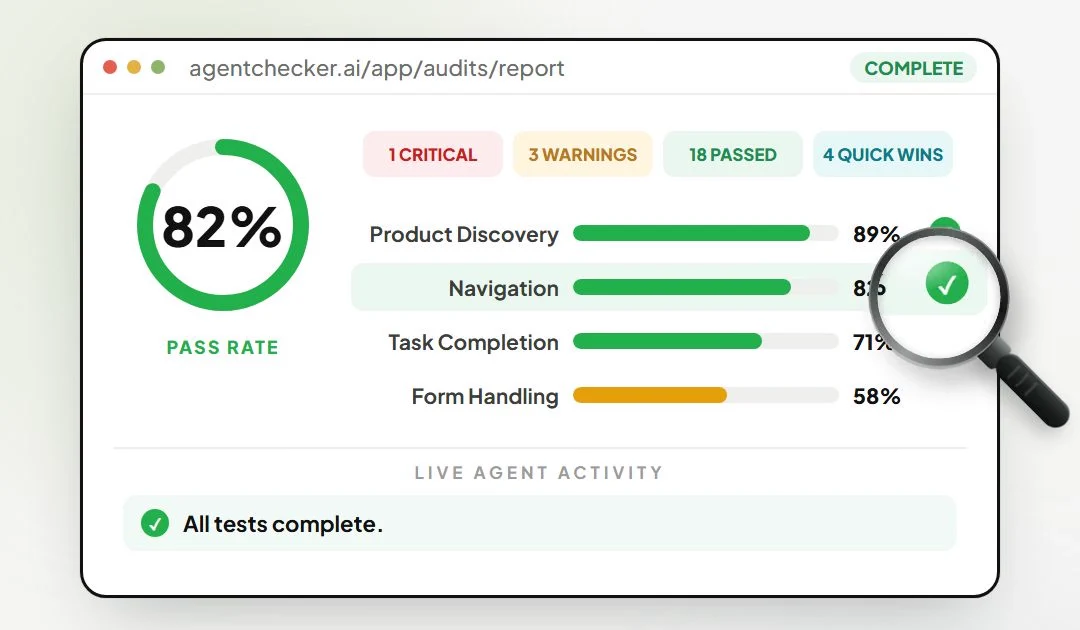
The number I’d look at first in this report is 58%. That’s how the sample shop scored on form handling, even though it passed 82% of the tests overall. For a shop that needs someone to fill in a delivery address before they can pay, that gap is worth investigating.
Agent Checker is a tool I built at CodeHawks to answer a question I kept coming back to when reviewing ecommerce sites. If an AI agent lands on a product, how far can it actually get towards buying it?
What happens at checkout
In the opening of my walkthrough, the agent reaches a checkout, enters a name and gets stuck at Place order. It’s an illustration of the problem. Finding the product and reaching the button are both progress, but the customer still hasn’t got an order through.
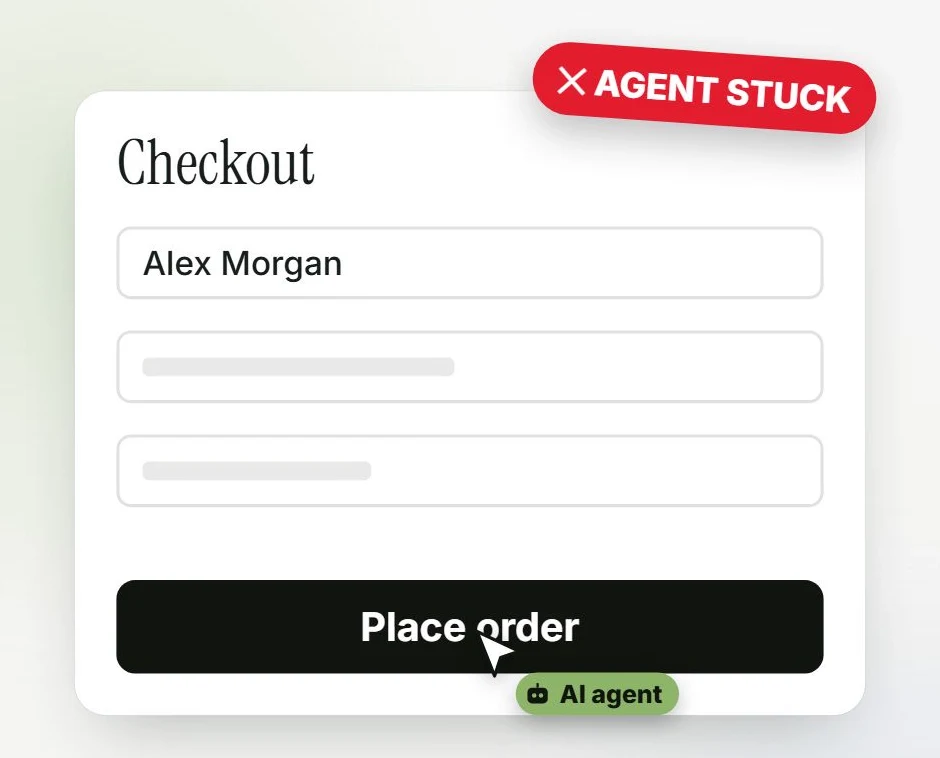
At 0:03 the checkout looks straightforward to a person. The agent has reached the order button and can’t finish the task.
The full audit puts an agent in a browser and gives it tasks such as finding a product, signing up and trying the checkout. In the sample report above, I’d open the failed form task and follow the replay to the first step the agent couldn’t complete. That gives the developer a specific interaction to reproduce. See the example audits.
When the free quick check is enough
If you’re asking whether your site exposes the signals agents read, start with the free quick check. Paste in the URL and the scan checks items such as robots.txt, structured data and response headers. The result arrives by email.
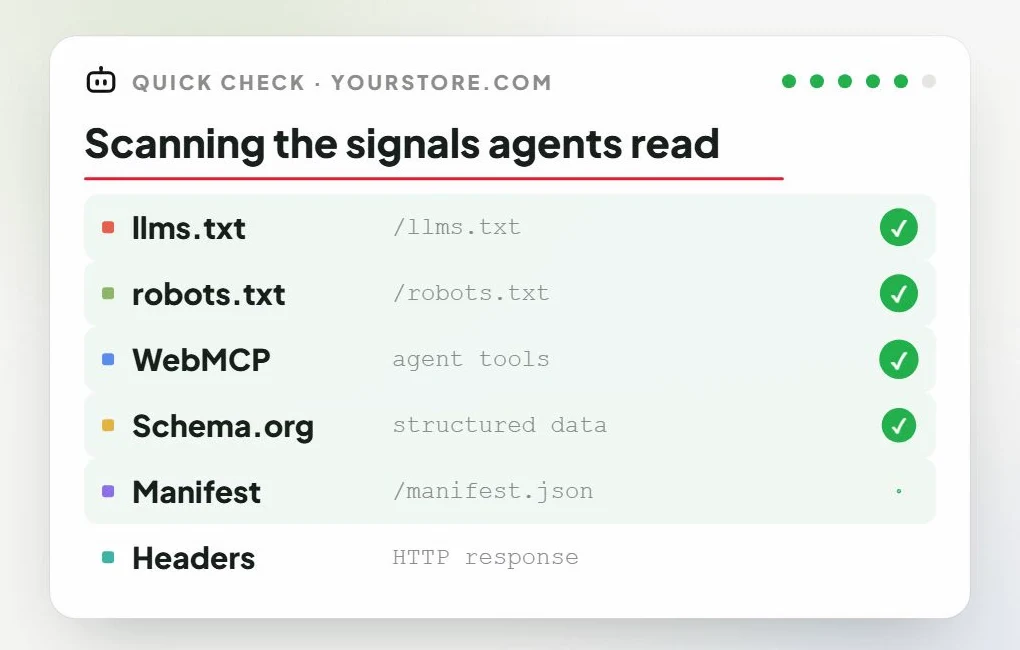
The quick check at 0:29 inspects the site’s signals. The checkout walkthrough belongs to the full audit.
I’d use the quick check for an initial look at an unfamiliar site. If the decision is whether a shop needs engineering work on its purchase flow, I’d use the full audit and give the team the replay alongside the score. The replay is the part they can act on.