What Is On-Page SEO? Essential Strategies for Better Rankings
On-page SEO is all about fine-tuning individual web pages so they rank higher in search engines and pull in the right kind of traffic. It covers everything from the words you write to the HTML source code humming away in the background.
Basically, if you can directly change it on your own website, it’s on-page SEO.
Understanding On-Page SEO Fundamentals
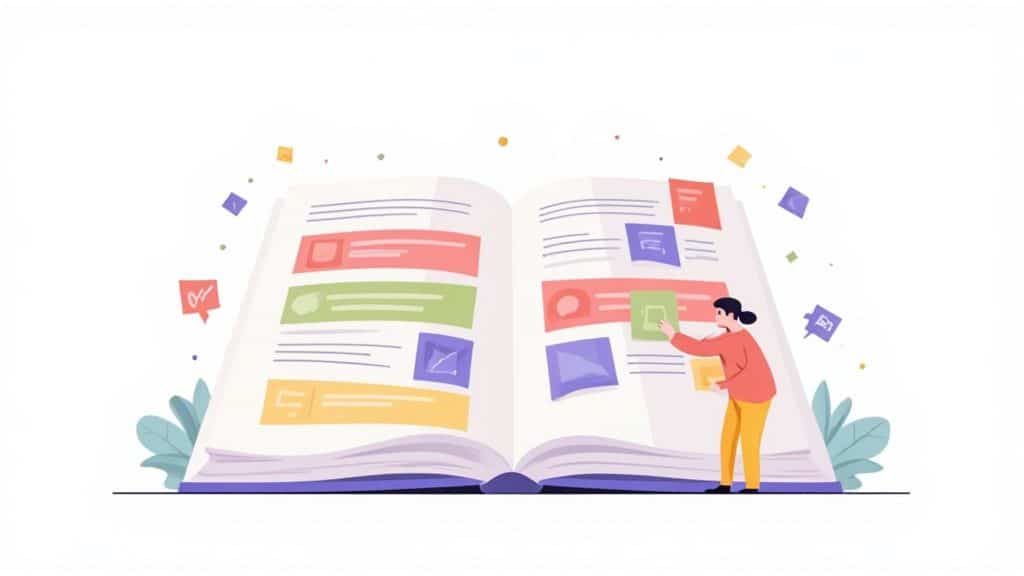
I like to think of a website as a big library and each page as a book. On-page SEO is how I give each book a clear title, a solid table of contents (your headings), and a structure that makes sense. This helps the librarian—in this case, Google—figure out what each book is about, making it much easier for them to recommend it to the right person.
It’s about sending clear signals to both search engines and human visitors, telling them what your page is about and why it’s the best result for what they’re searching for. It sounds basic, but you’d be surprised how often it gets missed. For example, a recent study found that only a fraction of small businesses consistently optimise core on-page elements. That’s a massive opportunity for anyone willing to get the fundamentals right. You can dig into more data on UK business strategies by reviewing recent SEO statistics.
The Core Components
So, what are we actually talking about here? On-page SEO is made up of several key parts, and each one tells search engines something different about your content. Some are obvious to your visitors, like the text and headings. Others are more behind-the-scenes, like meta tags or the alt text on your images.
The diagram below breaks down three of the most important elements you’ll find at the top level of on-page SEO.
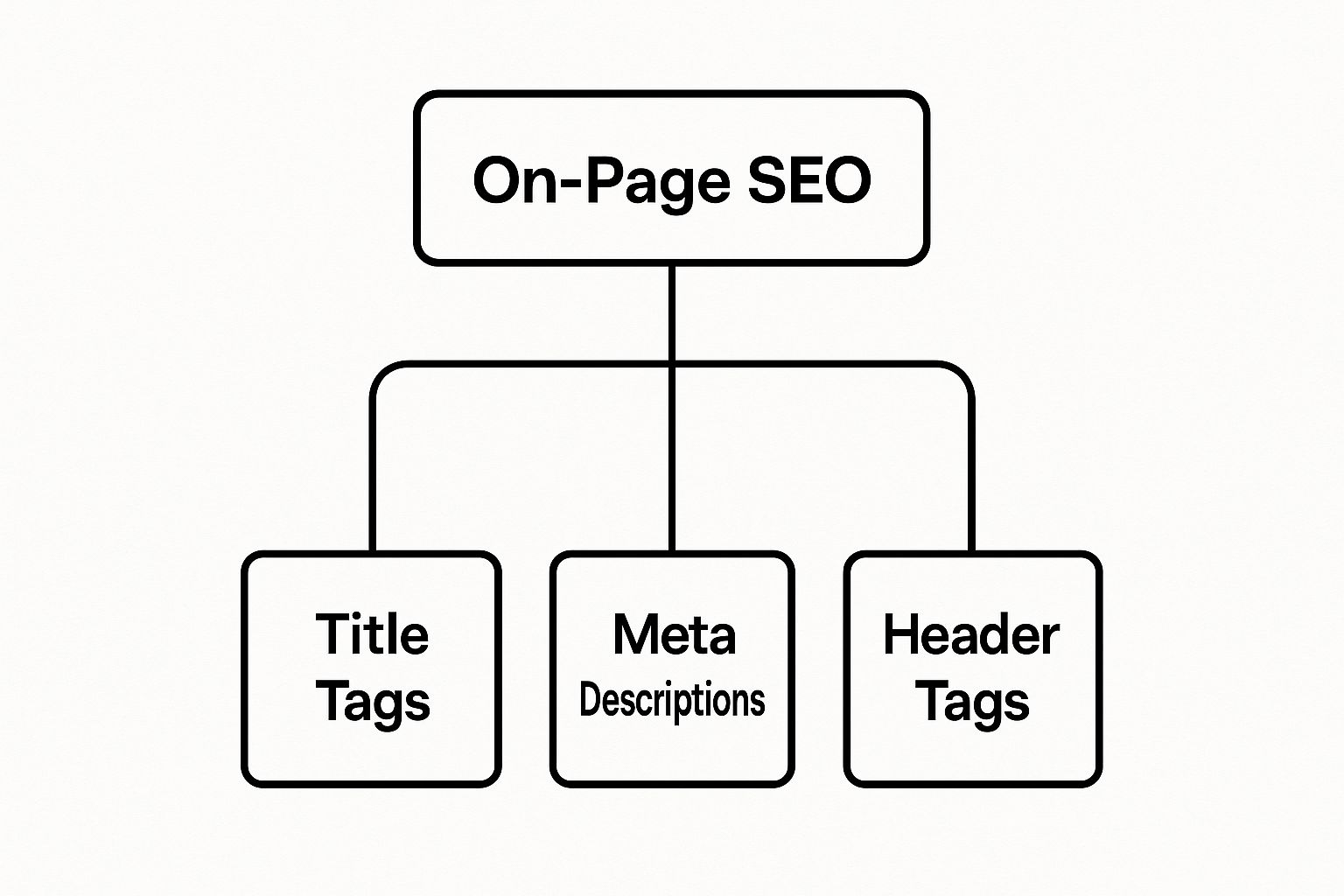
As you can see, things like Title Tags, Meta Descriptions, and Header Tags are the first clues Google gets about your page’s topic and structure.
The Three Pillars of On-Page SEO
To keep things simple, I find it helpful to group all the different on-page tasks into three main pillars. This gives you a framework for organising your efforts and understanding how everything works together to build a perfectly optimised page.
On-page SEO isn’t just about stuffing keywords onto a page. It’s a methodical way of structuring your content so that it’s crystal clear to both people and search engine crawlers. Get this right, and your message will be perfectly understood.
To give you a better idea of what I mean, here’s a quick look at the three pillars I’ll be diving into throughout this guide.
The Three Pillars of On-Page SEO at a Glance
This table breaks down the three core areas of on-page SEO. Think of them as the foundation for everything else you’ll do.
| Pillar | What It Covers | Why It Matters for Rankings |
|---|---|---|
| Content Elements | The quality and relevance of your text, images, and videos. This includes keyword research, readability, and proving your expertise on the topic. | High-quality content that genuinely helps the user is the number one thing Google wants to see. It’s what gets you rewarded with better rankings. |
| HTML Elements | The behind-the-scenes stuff like title tags, meta descriptions, header tags (H1-H6), and image alt text. | These tags are direct hints to search engines about what your page is about and how it’s structured. They have a big impact on how you get indexed and ranked. |
| Site Architecture | Page-level details that help your site’s overall structure, like clean URLs, internal links, and a good user experience. | A logical site structure makes it easier for search engines to crawl your site and for users to find what they need, which improves engagement and boosts rankings. |
By focusing on these three pillars, I’m building a solid, comprehensive on-page SEO strategy that covers all the bases.
Creating Content That Search Engines Love
If all the technical HTML bits are the skeleton of your on-page SEO, then content is its heart and soul. Honestly, every other optimisation I undertake is just there to support great content that genuinely helps the person reading it. Without that, you’re just polishing an empty shell.
The first thing I always look at is user intent. This is about getting inside your audience’s head and figuring out what they really want to do. Are they just looking for information? Are they ready to buy something? Or are they just comparing their options?
Getting this right is the absolute foundation of any good content strategy. Think about it: a UK-based online bakery might see people searching for “vegan cake recipe” (that’s informational) and “vegan cake delivery London” (that’s transactional). Those two searches need completely different pages.
Mastering Keyword Research and User Intent
Good keyword research isn’t just about finding phrases with high search volumes; it’s about digging into the exact language your customers use. When I start, I immediately go and look at the search results for my target keywords to see what kind of content Google is already rewarding.
This tells me what users expect to see. If the top results for “best running shoes UK” are all massive, detailed review articles, then a simple product page just isn’t going to cut it. Google’s already decided that people searching for that want in-depth comparisons, not just a shop page.
To avoid that old-school, robotic feel of ‘keyword stuffing’, I focus on weaving keywords into the text naturally. I make sure they pop up in a few key places:
- Headings and subheadings: This gives the page structure and tells Google what each section is about.
- The first paragraph: It’s a quick way to confirm the page’s topic right from the start.
- Image alt text: This helps visually impaired users and gives search crawlers extra context.
The aim is to build a complete resource that covers the topic from all angles. When you do that, you naturally end up including all sorts of related terms. These days, AI can really speed this up, and checking out the best AI SEO tools can give you a serious leg up.
Building Trust with Google’s E-E-A-T Framework
But high-quality content is about more than just keywords. It’s about trust. Google has a framework for this called E-E-A-T.
E-E-A-T stands for Experience, Expertise, Authoritativeness, and Trustworthiness. It’s basically Google’s way of asking, “Can I trust this source? Do they know what they’re talking about?”
Showing Google you’ve got E-E-A-T is a huge part of modern on-page SEO. It’s how you prove to both the search engine and your readers that your information is solid. You can’t just say you’re an expert; you have to show it.
Here are a few practical ways I build E-E-A-T into my content:
- Detailed Author Bios: I always make sure there’s a clear bio for the author that highlights their experience and qualifications on the topic.
- Citing Credible Sources: When I use stats or facts, I link out to authoritative sources. For UK-specific data, citing places like the Office for National Statistics (ONS) or a university study adds a real layer of credibility.
- Sharing Real-World Case Studies: Nothing shows experience better than actual results. Tossing in a case study or a few client testimonials is solid gold.
- Keeping Content Updated: Information gets old. I make it a habit to regularly review and update content to keep it accurate. It’s a massive trust signal for Google.
When you focus on what the user wants and consistently show your E-E-A-T, you create content that doesn’t just rank—it builds a proper audience and cements your authority. Your website stops being just a collection of pages and becomes a go-to resource.
Optimising Key HTML Elements for Visibility
It’s not just about the words on the page. The code underneath—specifically the HTML elements—acts as a roadmap for search engines. Think of them as signposts. When I get them right, I’m giving Google crystal clear directions about what my page is about, why it matters, and how it’s all laid out. This is a massive part of answering the question, “what is on page SEO?”.
These HTML tags aren’t just for Google, though. They have a huge impact on how your page looks to a real person scrolling through the search results. A great title and description can be the difference between getting that click or being completely ignored. It’s your first, and often only, chance to grab their attention.
The screenshot below shows exactly where elements like the title tag and meta description pop up on a live search results page.
As you can see, the blue clickable link is your title tag, and that little snippet of text underneath is the meta description. It’s prime real estate for winning clicks.
Mastering Your Title Tags
The title tag is, without a doubt, one of the most important on-page SEO elements you can tweak. It’s the headline for your webpage that you see in the browser tab and, more importantly, it’s the main clickable link in the search results.
A solid title tag needs to be snappy (ideally under 60 characters so it doesn’t get cut off), tell people what the page is about, and include your main keyword.
Here’s a quick comparison:
- Bad Example: “New Post”
- Good Example: “What Is On-Page SEO? A Beginner’s Guide | Mersudin Forbes”
The first example is useless. The second one, however, nails it. It clearly states the topic, pops the keyword in, manages expectations (it’s a beginner’s guide), and even adds a bit of branding. It’s optimised for both search engines and curious humans.
Writing Compelling Meta Descriptions
Sitting right under the title tag in the search results is the meta description. While it doesn’t directly affect your rankings, it has a massive impact on your click-through rate (CTR). Think of it as a mini-advert for your page, convincing people that you’ve got the answers they’re looking for.
A great meta description sells the click. It summarises the page’s value and gives the user a compelling reason to choose your result over all the others.
The trick is to keep it under 160 characters, include your target keyword (Google often makes it bold in the results), and use active, inviting language.
- Bad Example: “This article is about on-page SEO. It covers many topics.”
- Good Example: “Discover what on-page SEO is and learn actionable tips to optimise your content, HTML, and site structure. Start improving your rankings today!”
The second example is far more persuasive and spells out exactly what the reader will get out of it.
Structuring Content with Header Tags
Header tags (H1, H2, H3, and so on) are what you use to give your content a clear structure. They’re like the chapters and sub-chapters in a book. The H1 tag is your main page title—you should only ever have one—and it needs to match up closely with your title tag and main keyword.
After that, you use H2s and H3s to break the content down into smaller, easy-to-read sections. This isn’t just great for your readers; it also helps search engines figure out the hierarchy and topics on your page. I find that dropping secondary keywords into these subheadings is a great way to signal that your page is relevant for related searches, too.
The Unsung Hero: Image Alt Text
Every single image on your page should have alt text (alternative text). This is just a short, written description of what the image shows, and it does two really important jobs:
- Accessibility: Screen readers read it aloud for visually impaired users, making your site more inclusive.
- SEO: It gives search engines context, helping them understand what an image is about. This can help you show up in Google Images search.
Instead of leaving a generic filename, I always write descriptive alt text that includes a keyword where it makes sense. So for a picture of a keyword research tool, the alt text could be “A screenshot showing the keyword research tool interface for on-page SEO.”
Going a Step Further with Schema Markup
Finally, there’s schema markup, which is a bit more advanced. It’s a special vocabulary of code that I add to a page’s HTML to give search engines even more detail about the content. An excellent external reference for this is Schema.org, which maintains all the standard types of markup you can use.
This helps them create “rich snippets”—those eye-catching search results that might include things like:
- Star ratings for reviews
- Cooking times for recipes
- FAQ dropdowns right in the results
Using schema can make your listing really stand out on the page and give your CTR a serious boost. It’s like handing Google a perfectly organised summary of your page’s key information, making it much easier for them to feature you.
Building a User-Friendly Site Architecture
On-page SEO isn’t just about what you cram onto a single page. It’s also about how all your pages talk to each other to create a website that’s actually easy to use. I like to think of a site’s architecture as the floor plan of a house. A good one lets you move from room to room without thinking. A bad one? It’s just confusing and frustrating.
This structure is a big deal for two audiences: the real people visiting your site and the search engine crawlers trying to figure it all out. A logical, well-thought-out architecture massively improves the user experience (UX), and Google really cares about that. It also helps those crawlers find all your content, see how the pages relate, and spread authority around your site.
Creating Clean and Descriptive URLs
Your page URLs are often the first thing a visitor or a crawler sees. They need to be simple, easy to read, and give a dead-clear clue about what’s on the page.
Having a clean URL structure is one of those foundational bits of good on-page SEO. I always make sure my URLs are short, descriptive, and pop the main keyword for the page in there.
- Bad Example:
yourwebsite.co.uk/p?id=8472&cat=blog_04 - Good Example:
yourwebsite.co.uk/blog/on-page-seo-tips
That second example is instantly understandable, right? It tells both people and search engines exactly what to expect. That makes it way more user-friendly and better for SEO.
The Power of Strategic Internal Linking
Once your URLs are sorted, the next job is to connect your pages with internal links. I see this as spinning a web that guides both visitors and search engine crawlers to your most important stuff. Every link is like a little pathway, passing authority (what some people call “link juice”) around your site.
When I publish a new blog post, one of the first things I do is hunt down older, high-authority pages on my site and add a link from them to the new article. It’s a simple move, but it passes on some of that hard-earned ranking power and gives the new page a bit of a head start.
Internal linking is one of the most underrated on-page SEO tactics going. You have total control over it, and it helps search engines understand which of your pages you think are most important for a topic.
A well-organised internal linking plan is essential for keeping everything connected. You can streamline your whole workflow by using the right tools to map everything out. For instance, you can find out how to get more done with Asana and other platforms to manage your content and linking strategy without missing a beat.
Prioritising User Experience with Page Speed and Mobile Friendliness
Google has been shouting from the rooftops for years that user experience is king. Two of the biggest technical signals they check are page speed and how well your site works on a phone. A slow, clunky site is a bad experience, and Google will always favour competitors who offer a smoother ride.
According to Google, the chance of a user just giving up and leaving (bouncing) jumps by 32% when a page takes three seconds to load instead of one. That’s a massive loss of traffic just for being a bit sluggish.
To make sure your site is up to scratch, you can use a couple of free tools straight from Google:
- PageSpeed Insights: This tool breaks down how your page loads on both mobile and desktop. It gives you a score out of 100 and a list of specific, actionable things to fix, like compressing your images or speeding up your server.
- Mobile-Friendly Test: This is a simple pass-or-fail check to see if your page is easy to use on a mobile device. With most searches happening on phones now, passing this is non-negotiable.
I use these tools all the time to audit my site’s performance. Getting these elements right is a core part of building a site architecture that keeps both users and search engines happy, and it’s a key part of how I answer the question, “what is on page SEO?”.
Why On-Page SEO Is a Future-Proof Strategy
Search engine algorithms are always on the move, but the core principles of good on-page SEO have stayed surprisingly solid. In fact, as search engines like Google get smarter, the basics of a well-structured, user-friendly page are more critical than ever. Think of on-page optimisation not as a static checklist, but as a dynamic practice that gets your website ready for whatever Google throws at it next.
Your on-page elements are basically the instructions you’re feeding to Google. The cleaner those instructions are—through tidy HTML, logical headings, and genuinely helpful content—the better an algorithm can understand what you’re about. This is becoming a massive deal as AI starts playing a bigger and bigger role in search results.

On-Page SEO in an AI-Driven World
The rise of features like Google’s AI Overviews is a perfect illustration of why on-page SEO is such a safe bet for the future. These AI-powered summaries don’t just hunt for keywords; they actually digest and piece together information from the web’s most trustworthy and well-organised pages to give users a direct answer.
A page with strong on-page fundamentals is simply easier for these AI systems to “read” and process.
A well-optimised page essentially hands its key information to AI on a silver platter. By clearly defining your topic, structure, and key points through meticulous on-page SEO, you increase the chances of your content being selected and featured in AI-generated results.
This isn’t just a theory; we’re already seeing it in action. For instance, after a Google Core update announced on 30 June 2025, lots of UK websites saw a huge jump in impressions. One likely reason was the wider rollout of AI Overviews, which seemed to favour pages with top-notch on-page structure and quality content. You can read more on how UK sites saw a spike in visibility following the 2025 update.
Building a Resilient Foundation
At the end of the day, solid on-page SEO is all about building a resilient foundation that can handle any algorithmic curveball. While specific ranking factors might get tweaked, Google’s main mission—giving people the best possible answer—never really changes. A commitment to on-page best practices puts your website right in line with that mission.
Here’s why it creates lasting value:
- It Improves User Experience: Fast load times, mobile-friendly design, and clear navigation are good for SEO because they’re good for actual people. Happy visitors stick around longer, which sends all the right signals to search engines.
- It Builds Topical Authority: A well-structured site where content is strategically linked together shows Google you’re an expert on a topic. That’s not something an algorithm update can easily take away.
- It Provides Clear Context: Using things like schema markup gives search engines crystal-clear information about your content, making it easier for them to show you in rich results like FAQs, reviews, and event listings.
As search becomes more conversational and AI-powered, being able to clearly communicate your page’s value is a huge competitive edge. By nailing the fundamentals, you’re not just optimising for today’s algorithm; you’re setting your site up for the future of search. For more on the basics, have a look at our guide covering essential SEO tips for beginners.
Common On-Page SEO Questions Answered
As I’ve worked through the bits and pieces of on-page SEO, a few questions always seem to come up. To finish things off, I’ll run through some of the most common ones I get asked, giving you straight, practical answers to help you on your way.
On-Page vs Off-Page vs Technical SEO: What’s the Difference?
It’s easy to get these three tangled up, but they each have a very different job to do. I like to think of a website as a new car you’re getting ready for a big race.
-
On-Page SEO: This is everything inside the car that you can tweak and control directly. It’s the engine tuning (your content and keywords), the layout of the dashboard (your headings), the user manual in the glove box (your meta descriptions), and how comfy the seats are (user experience). You’re basically optimising the car itself for the best possible performance.
-
Off-Page SEO: This is your car’s reputation outside the garage. It’s all about getting respected racers and critics (other websites) to talk about your car and recommend it. The classic example is link building, where high-quality sites link back to yours, which acts like a massive vote of confidence.
-
Technical SEO: This is the nuts and bolts of the car’s engineering. It makes sure the chassis is solid (your site architecture), the engine is easy for the inspectors to check (crawlability), and it’s ridiculously fast off the starting line (page speed). It’s the groundwork that lets your on-page and off-page efforts shine.
They all need to work together. A perfectly tuned engine (on-page SEO) won’t win you anything if the chassis is broken (technical SEO) or if no one’s ever heard of the car (off-page SEO).
How Long Does It Take to See Results from On-Page SEO?
This is the million-dollar question, and the honest answer is: it depends. On-page SEO isn’t an overnight fix. Think of it more like planting a garden than flicking a switch. You’re building up your website’s health for the long run, not just looking for a quick win.
A few things can affect the timeline:
- Competition: If you’re going after keywords that are already dominated by big, established websites, it’s naturally going to take longer to make a dent in the rankings.
- Website Authority: An older website with a strong reputation will often see results from on-page changes much faster than a brand-new site that’s still earning Google’s trust.
- Scope of Changes: Fixing a few title tags might give you a small bump in a couple of weeks. But a complete content overhaul and restructuring your internal links is a bigger job and could easily take three to six months to show proper, measurable results.
SEO is a marathon, not a sprint. The results from consistent on-page optimisation are cumulative. The work I do today builds on the work from last month, creating a powerful, lasting impact over time.
Generally, you might start to see some movement in the rankings within a few weeks, but significant traffic growth often takes several months of sticking with it. Patience is definitely your friend here.
Can I Do On-Page SEO Myself?
Absolutely! Heaps of the foundational on-page SEO tasks are perfect for beginners and business owners to get their hands dirty with. With a bit of guidance, you can make a real difference on your own.
Here are a few tasks that are great for DIY SEO:
- Optimising Title Tags and Meta Descriptions: Writing punchy, keyword-rich titles and descriptions is a fantastic place to start.
- Improving Content Readability: Using clear headings (H1, H2, H3), short paragraphs, and bullet points is something anyone can do to make their content more user-friendly.
- Adding Image Alt Text: Writing descriptive alt text for your images is a simple task that helps with both accessibility and SEO.
- Basic Internal Linking: Adding links from your new blog posts to relevant older ones is a simple but powerful tactic.
That said, there are times when calling in an expert is the smarter move. If you’re dealing with more complex stuff like site architecture problems, deep technical audits, or a massive site migration, a specialist can save you a lot of time and prevent some expensive mistakes.
My advice is to start with the basics. Get comfortable with the core ideas, do what you can, and keep an eye on your results. As you get more confident, you’ll get a better feel for when to tackle things yourself and when it’s time to call for backup.
At Mersudin Forbes Digital, I focus on providing the insights and tool recommendations you need to tackle these challenges. Explore the resources at https://mersudinforbes.com to streamline your SEO workflow and achieve measurable results.